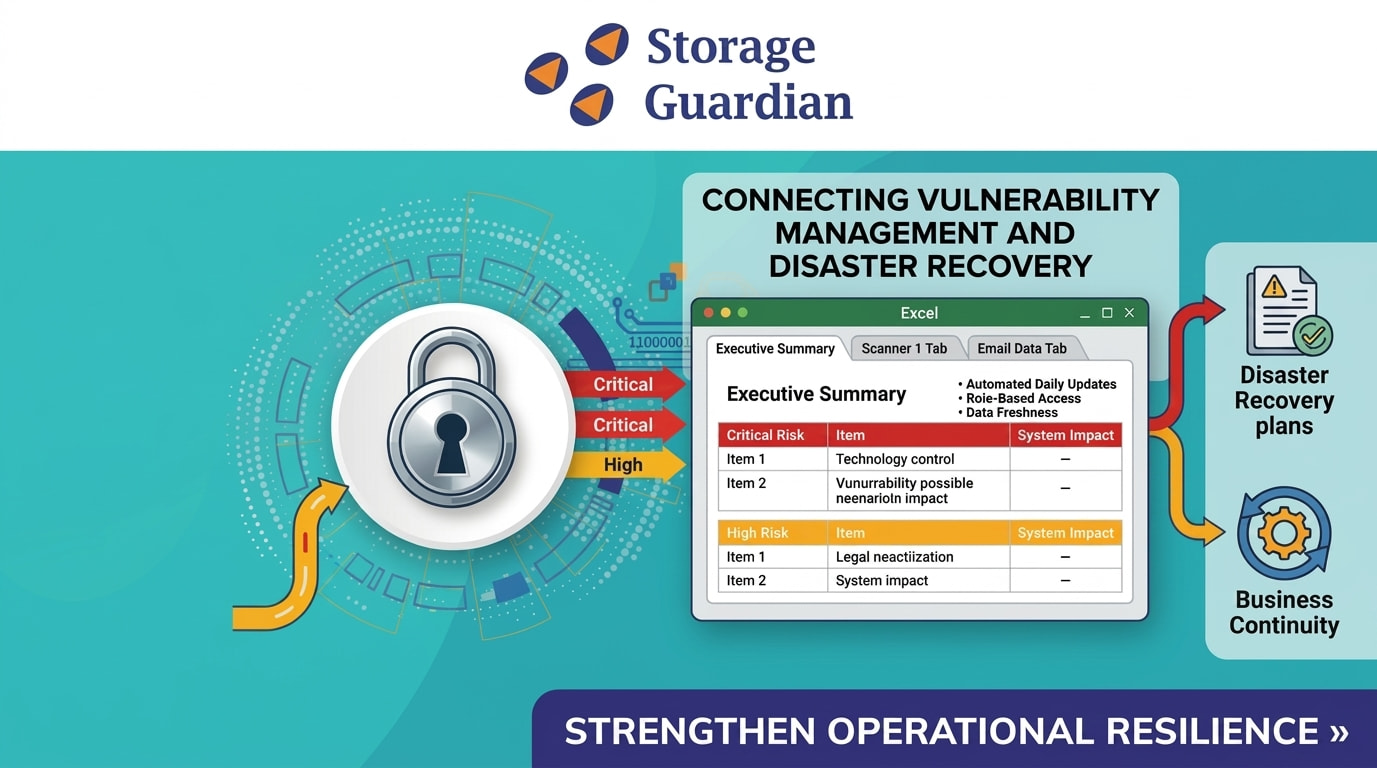
Storage Guardian is launching an Automated Risk Registry inside its DR Runbook Portal consolidating High and Critical vulnerabilities from multiple tools into a single, permission-controlled Excel report updated daily.
This integration helps security, IT, and business continuity teams prioritize remediation, assess recovery readiness, and strengthen operational resilience.
Why You Need a Central Risk Registry ?
Vulnerability data is often scattered across scanners, spreadsheets, and email making it hard to see what matters most.
Common problems with manual reporting:
• Inconsistent update schedules
• Missed or duplicated findings
• Outdated information in circulation
• Unclear ownership and follow-up
• No link to disaster recovery or business continuity plans
A centralized registry solves this by creating a single source of truth for urgent risks without replacing your existing scanning tools.
How the Risk Registry Works ?
The registry lives in Microsoft Excel within the Storage Guardian DR Runbook Portal, with a consistent structure for every customer:
• Executive Summary tab: All High and Critical findings in one view
• Source-specific tabs: Separate worksheets for each scanning or monitoring platform
• Latest results only: Fresh data from every connected source
• Synchronization timestamp: Shows exactly when the report was last updated
• Status indicators: Flags current vs. stale data at a glance
Daily Automated Updates
The registry pulls fresh findings every day, eliminating manual exports and ensuring reports reflect current conditions.
The automation process:
1. Connects to each supported scanning or monitoring platform
2. Retrieves the latest findings
3. Updates the corresponding worksheet
4. Refreshes the Executive Summary with new High and Critical items
5. Logs the synchronization timestamp
6. Flags any failures that prevent updates
New critical findings appear automatically; resolved items are removed or updated in real time.
Executive Visibility into Critical Risks
The Executive Summary gives authorized stakeholders a consolidated view of the most urgent vulnerabilities across the entire environment.
Teams can:
• Identify critical security gaps fast
• See which systems or dependencies are affected
• Prioritize remediation based on recovery impact
• Support risk discussions with leadership
• Improve coordination across security, IT, and DR teams
• Maintain audit-ready records
For example, if one scanner flags a Critical vulnerability on a production server and another reports a High-risk backup infrastructure issue, both appear side-by-side for context-aware prioritization.
Connecting Vulnerability Management to Disaster Recovery
A vulnerability in production systems, backup platforms, identity services, or cloud dependencies can directly impact recovery capabilities.
Embedding the Risk Registry in the DR Runbook Portal links risk identification with recovery planning, enabling teams to:
• Determine which systems need stronger recovery protections
• Check if backup infrastructure has unresolved vulnerabilities
• Prioritize dependencies during remediation
• Assess how security risks affect RTO and RPO
• Identify where additional controls or testing are needed
This moves beyond isolated vulnerability tracking to resilience-driven risk management.
Secure, Role-Based Access
The Excel report is available directly within each authorized user's Runbook profile no more hunting through email attachments or shared folders.
Access is controlled through customer and organizational permissions, ensuring users only see reports for environments they're authorized to view. This supports secure collaboration without unnecessary cross-customer visibility.
Tracking Data Freshness and Failures
Risk data is only useful if it's current. Every report displays:
• Last successful synchronization timestamp and an Update status
Before relying on a report, users can verify:
• When was the latest data retrieved? Was the update successful? And is the data fresh enough for decision making?
This transparency is critical during incident response, audits, and DR planning.
Failure tracking logs issues like:
• Unavailable scanning tools, Expired credentials, integration connection failures and report generation errors.
This prevents silent failures from creating false confidence in outdated data.
A Practical Foundation for Risk Management
Storage Guardian's Automated Risk Registry delivers:
• Daily updates from connected tools
• Source-specific worksheets for technical depth
• Executive Summary for fast prioritization
• Role-based access for secure collaboration
• Synchronization tracking for data confidence
• Failure logging for operational reliability
For complex environments, viewing current High and Critical vulnerabilities within the DR Runbook Portal improves visibility across security, IT, compliance, and business continuity teams.
The registry doesn't replace scanners or remediation workflows it makes security findings easier to review, prioritize, and connect to recovery planning.
Bottom line: Identify risks, understand their impact, prioritize remediation, and ensure recovery plans reflect your environment's current state


