For years, Backup and Disaster Recovery (BDR) platforms have provided businesses with an essential safety net. Organizations rely on them to protect servers, applications, and critical business data against hardware failures, cyberattacks, accidental deletion, and other disruptions. But there is one important question that is often overlooked:
Can you actually recover your data when you need it?
A successful backup job does not necessarily mean that the data is recoverable. As virtualization platforms, backup technologies, and BDR services evolve—and older products approach end-of-life—organizations need a reliable process for regularly validating their backup data.
A Successful Backup Does Not Guarantee a Successful Recovery
Most organizations monitor their backup systems for failed jobs. If the backup completes successfully, the assumption is often that the data is protected. The problem is that backup integrity and recoverability are not always the same thing. A backup may exist while the underlying virtual machine cannot boot, critical system components are missing or corrupted, the network configuration is unavailable, or the backup is no longer compatible with changes in the virtualization environment. There is also another risk: the BDR platform itself may be approaching end-of-life.
This creates a dangerous gap between “we have backups” and “we can recover our business.”
The BDR End-of-Life Challenge
The BDR landscape continues to change. Products are acquired, platforms are consolidated, technologies are replaced, and support timelines eventually come to an end. The end-of-life of products such as Veritas Backup Exec is a reminder that organizations cannot assume today's backup environment will remain viable indefinitely.
When a BDR platform approaches the end of its lifecycle, businesses need enough time to validate existing backup data, identify recovery issues, evaluate alternatives, and migrate if necessary. Waiting until the final months of a product's lifecycle can leave very little room to address unexpected problems.
The best time to discover that your backups cannot be recovered is during a planned validation—not during an emergency.
What Does BDR Data Validation Mean?
BDR data validation should go beyond checking whether backup jobs completed.
A meaningful validation process should demonstrate that protected workloads can actually be recovered and brought online.
For virtual environments, this can include:
• Selecting a protected virtual or physical machine.
• Recovering it in an isolated environment.
• Powering on the recovered machine.
• Verifying that the operating system and applications start correctly.
• Confirming critical components, including networking, are available.
• Documenting the results and identifying any issues.
The objective is simple: Don't just verify that the backup exists. Verify that the workload works.
Why Virtualization Makes Validation Important?
Virtualization environments are constantly changing. Organizations upgrade VMware or Hyper-V, modify virtual hardware, change networking configurations, introduce new operating systems, and migrate workloads between platforms.
At the same time, backup and BDR technologies continue to evolve.
A backup created under one set of conditions therefore needs to be validated against the environment in which it may eventually need to run.
Using VMware or Hyper-V APIs, organizations can automate parts of this process by recovering and powering on selected machines in an isolated environment. This creates a repeatable way to confirm that protected workloads remain recoverable.
Storage Guardian's Five-Step Approach
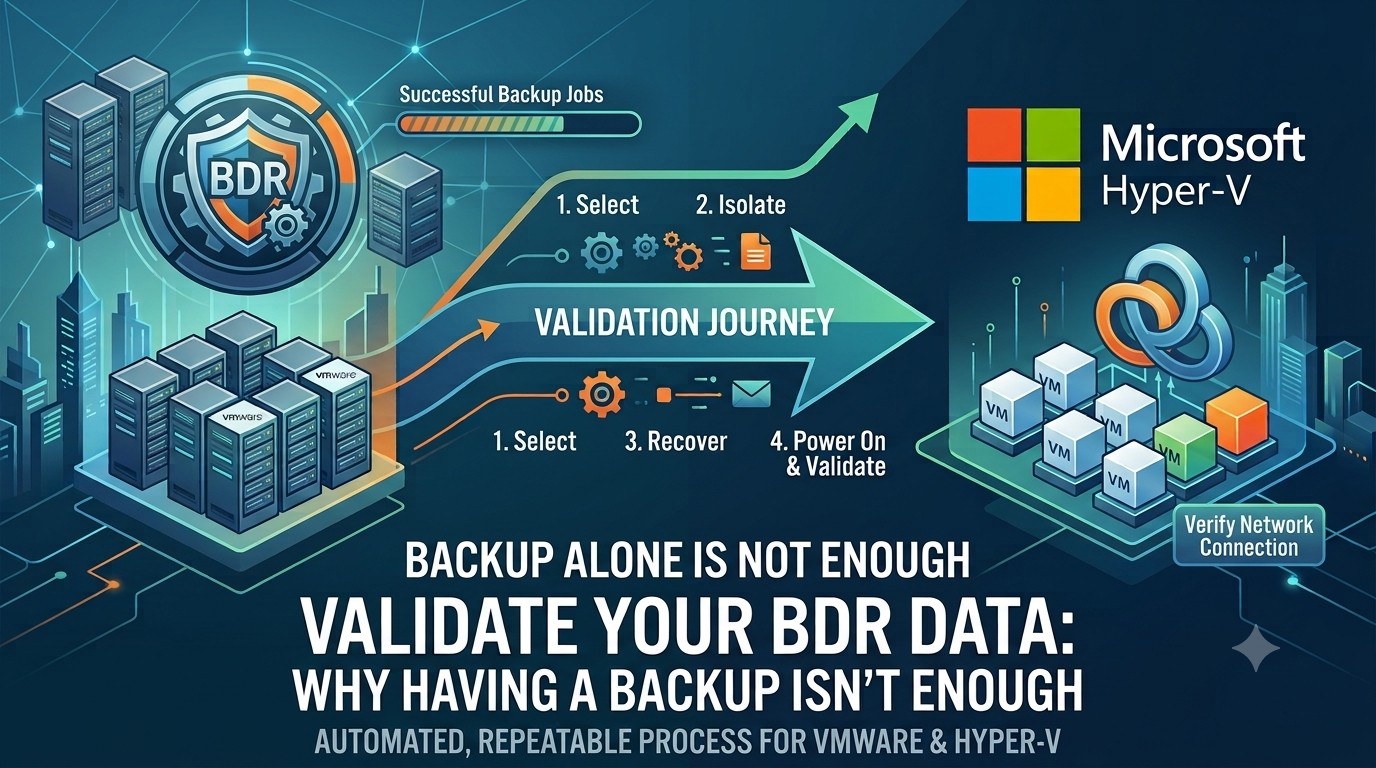
Storage Guardian has developed a five-step process designed to incorporate automation into BDR data validation:
1. Select – Identify the virtual or physical machines that should be validated.
2. Isolate – Create a recovery environment where testing does not interfere with production.
3. Recover – Restore the selected workload using the available backup and BDR infrastructure.
4. Power On & Validate – Leverage VMware or Hyper-V APIs to power on the recovered machine and verify the operating system, network interface, and other critical components.
5. Document & Repeat – Record the results, identify issues, and establish a recurring validation schedule.
For organizations with large amounts of data, validation does not have to happen all at once. Testing can be distributed throughout the year—for example, by validating a portion of protected workloads each quarter. This turns recovery testing from an occasional manual exercise into a repeatable and measurable process. Don't Wait Until You Need Your Backup.
When a server goes down, the question won't be: “Did the backup job complete successfully?”
The question will be: “Can we get the server back online?”
Regular BDR data validation helps provide a much more meaningful answer.
Whether you are preparing for a BDR platform's end-of-life, managing a large virtual environment, or simply improving your disaster recovery readiness, validating your protected workloads should be an integral part of your backup strategy.
Storage Guardian can help you establish an automated, repeatable process to recover, power on, and validate protected VMware and Hyper-V workloads—before you actually need them.
Don't wait for a hardware failure, cyber incident, or BDR end-of-life deadline to discover a problem with your backups.
Validate your BDR data today—and know that your backups are truly recoverable.


