For many organizations, moving from VMware to Proxmox is viewed as a one-time, one-and-done project. Build the Proxmox environment. Migrate the virtual machines. Test the applications. Retire VMware and the project is considered complete.
But a VMware-to-Proxmox migration should not end when the last virtual machine is moved. The migration may be a one-time infrastructure project, but protecting, testing, and recovering those workloads must remain an ongoing responsibility.
That is where Storage Guardian can help.
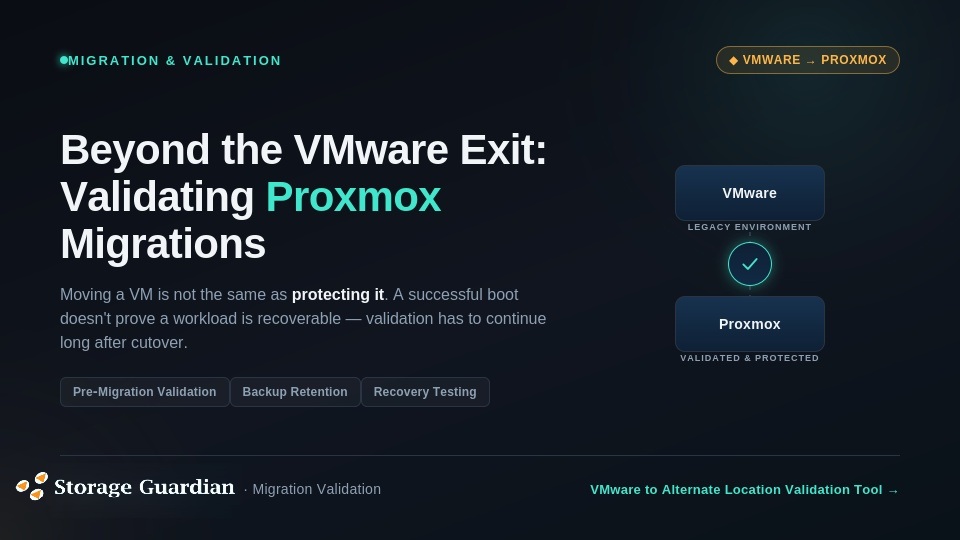
Moving a VM Is Not the Same as Protecting It. A virtual machine that boots successfully after migration may appear to be working correctly. However, a successful boot does not prove that the entire workload is ready for production or fully recoverable.
Organizations also need to confirm that application data transferred correctly, network connectivity is functioning as expected, and virtual hardware and drivers are compatible. They must also verify that backup jobs can run successfully, restore points remain accessible, retention requirements are still being met, and recovery time objectives can be achieved if a system failure occurs.
Proxmox can provide organizations with a flexible virtualization platform and an alternative to traditional VMware environments. However, selecting Proxmox is only one part of the migration decision.
The organization must also determine how its workloads will be backed up, tested, restored, and supported after VMware is gone.
Why the Project Is Often Considered Complete?
Most VMware-to-Proxmox exits are structured around a defined project deadline. The migration team creates an inventory, develops a cutover plan, moves the workloads, and decommissions the old environment.
Once the final virtual machine is running in Proxmox, the project is often considered finished.
The team may be measured on the number of virtual machines migrated, amount of downtime avoided. The amount of VMware infrastructure removed resulting in reduction in licensing costs and the speed of the migration.
These metrics are important, but they do not answer the most important question:
Can the business recover its critical applications if something goes wrong after the migration?
A workload may be running in Proxmox while the organization’s backup and recovery processes remain untested. Historical VMware backups may still need to be retained. Older restore points may be required for compliance, legal, or operational reasons. Backup jobs may also need to be redesigned for the new environment.
In other words, the migration may be complete from an infrastructure perspective but incomplete from a business continuity perspective.
The Overlooked Challenge: Existing Backup Data
One of the most important questions during a VMware exit is what happens to the existing backup environment.
Many organizations have years of VMware backup data, including long-term retention points. That data may be needed to recover from ransomware, investigate an incident, meet regulatory requirements, or restore a file or application to an earlier point in time.
Simply moving active workloads to Proxmox does not automatically solve the problem of protecting historical data.
IT teams should determine which backup sets must be retained, how long those backups must remain available, and whether the data can still be restored after VMware is decommissioned. They should also confirm how existing retention policies will be preserved and verify that the new Proxmox backup strategy meets the organization’s business continuity, compliance, and recovery requirements.
This is especially important for managed service providers and organizations responsible for protecting multiple customer environments. A migration may be technically complete while historical backup data remains unplanned, untested, or difficult to recover.
How Storage Guardian Helps
Storage Guardian helps organizations make VMware-to-Proxmox migrations more reliable by validating workloads, backup data, and recovery requirements before and after the move. Pre-migration validation can identify VM boot issues, corrupted or incomplete backups, unsupported configurations, retention requirements, driver concerns, and workloads that need special planning. Finding these issues early gives IT teams time to address them before VMware is decommissioned. Storage Guardian’s VMware to Alternate Location Validation Tool can help assess migration strategies, compare multiple backup sets, and identify retention points that may affect the migration timeline.
After the migration, organizations should confirm that workloads start consistently, applications remain accessible, network settings function properly, and data is intact. They should also verify that backups complete successfully, restore points remain available, and recovery procedures continue to work as expected. Comparing the original VMware workload with its Proxmox counterpart gives IT teams a clearer way to identify problems before they become production incidents.
Although the migration may happen only once, recovery responsibilities continue throughout the life of the Proxmox environment. Organizations must protect Proxmox workloads, test restores, preserve historical VMware backups when required, monitor backup and retention policies, document recovery procedures, and validate future infrastructure changes. Migration success is not simply leaving VMware behind; it means ensuring that workloads remain healthy, applications function properly, recovery requirements are preserved, and the business can recover from a failure.
Storage Guardian helps organizations evaluate and validate their migration strategy before, during, and after the move. By focusing on workload health, backup data, retention requirements, and recovery readiness, organizations can reduce uncertainty and build a Proxmox environment they can trust. Planning a VMware-to-Proxmox migration? Contact Storage Guardian to learn how validation can help protect your workloads throughout the process.


